
Disclosure: This article may contain affiliate links. We earn a commission at no extra cost to you if you purchase through our links. We only recommend tools we genuinely believe in.
In April I published AI Automation Costs: How Much Should You Budget?. That post started with a first month bill of $347, then an optimized setup at $178 a month after I matched cheaper models to simpler jobs and cut tools that were not earning their keep. It was the most useful kind of post to write, because it forced me to look at every line item instead of guessing at a total.
Six months later I re-ran the same audit. Not because I wanted a lower number to brag about, but because automation bills do not stay optimized on their own. A seat gets added, a usage tier creeps up, a tool you stopped using keeps charging, and a second tool quietly starts doing a job the first one already covers. None of that shows up as a single dramatic charge. It shows up as a total that is a little higher every month, for reasons nobody can name.
So this post is the audit playbook, updated. It builds on the April breakdown and on the pricing lesson from n8n vs Make vs Zapier in Late 2026: compare the pricing meter, not the monthly price. No new ledger, no invented savings figure, just the exact steps I use to decide what stays, what goes, and what gets watched.
Why an Audit, and Why Now
An automation stack fails in a slow, boring way. It does not break. It bloats. Three patterns cause most of it:
- Seat creep: a tool bought for one person now bills for three, and only one of them still logs in.
- Usage creep: a workflow that ran occasionally now runs constantly, because it worked and nobody capped it.
- Duplicate creep: two tools cover the same job, because the second one was added for one feature and the first one was never removed.
The audit answers one question per tool: what job does this do, what happens if I pause it for two weeks, and is there a cheaper way to do that same job? If you cannot answer all three, the tool is not audited. It is just subscribed to.
The Audit in Five Steps
Step 1: Export every bill, not just the total
Open every billing page, every app store subscription, and every API usage dashboard. One list, one place. Include the tools you forgot about, especially the ones billed annually, because an annual charge you forgot is still a charge.
For each line item, write down four things: the tool, the monthly cost (or the annual cost divided by 12), what job it does, and who actually uses it. If the last column is blank, that tool goes straight to the watch list.
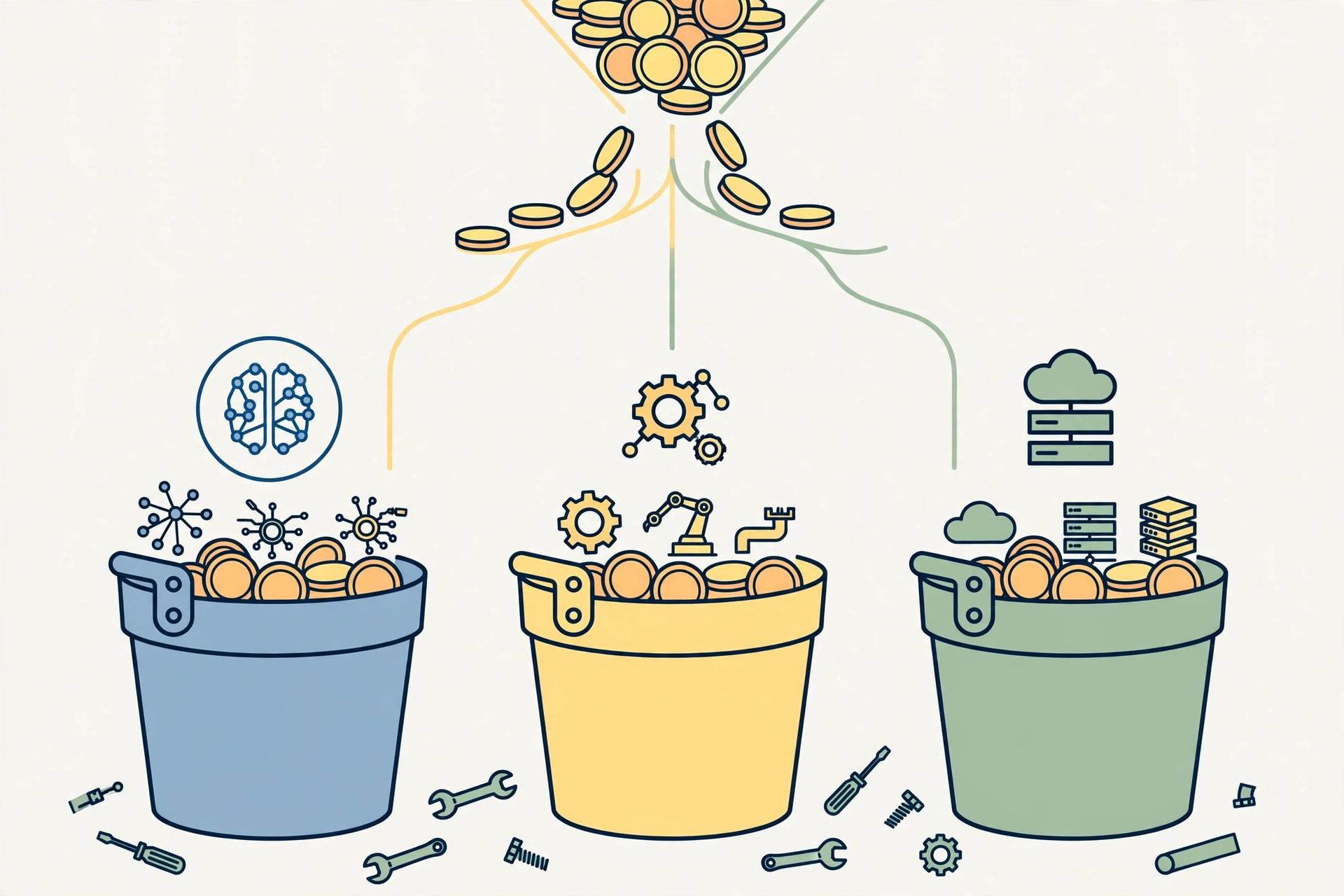
Step 2: Sort everything into three buckets
Every automation cost lands in one of three buckets. Sorting first makes the rest of the audit faster, because each bucket has a different failure mode.
| Bucket | What goes in it | What usually goes wrong |
|---|---|---|
| Model usage | API tokens, model subscriptions, AI credits | Variable cost, no cap, expensive model used for simple jobs |
| Automation platforms | Zapier, Make, n8n, and similar workflow tools | Seat creep, overlapping platforms, tasks billed per run |
| Infrastructure | Hosting, databases, background jobs, webhooks | Small charges, easy to forget, old projects still running |
Step 3: Score each tool: Keep, Watch, or Cut
Do not rank tools by price alone. A cheap tool that nobody uses is waste. An expensive tool that runs a daily workflow may be the best money in the stack. Use the rule, not the feeling.
| Decision | Rule | Typical example |
|---|---|---|
| Keep | Used weekly, the job has no cheaper equivalent, and the cost is stable | The core model subscription that drafts content or triages email every day |
| Watch | Used monthly, the price rose since you bought it, or a cheaper tier covers your actual use | A second automation platform doing one job the main platform already handles |
| Cut | Unused for 30 days, duplicated by another tool, or the job moved somewhere else | An overlapping social scheduling tool, or a research tool replaced by a workflow you already run |
Cut is not a punishment. It is the audit working. A tool you cut cleanly is a tool you can re-add later if the job comes back, and you will know exactly what it costs the second time.
Step 4: Renegotiate before you renew
Most of the easy savings live here, and they cost an email, not a rebuild:
- Drop to the tier that matches your actual usage, not the usage you planned for when you signed up.
- Remove seats for people who no longer use the tool, before the renewal date, not after it.
- Ask whether an annual plan actually saves money at your real usage level. Annual is only cheaper if you still need the tool in twelve months.
- For usage-based tools, set the cap first and the budget second. A cap that stops a runaway workflow is worth more than a spreadsheet that explains it afterward.
Step 5: Set guardrails so the next audit is boring
An audit you have to repeat from scratch every six months is a chore. An audit with guardrails is a fifteen minute check.
- Billing alerts at 50 percent and 80 percent of each usage-based budget, sent somewhere you will actually see them.
- One owner per tool, even if the owner is you. A tool with no owner never gets cancelled.
- A renewal calendar entry 14 days before every annual renewal, with the Keep, Watch, or Cut decision from the last audit attached.
- The cheapest model that does the job well. This was the biggest lesson from April and it still holds: a small model categorizes email just as well as a flagship model, for a fraction of the cost.
- One platform that does five things well beats five platforms that each do one thing perfectly, unless that one thing is the core job.
Rule: if you need a spreadsheet to justify a tool, the tool probably does not earn its keep. The tools that earn it are the ones you can explain in one sentence.
Planning Bands I Still Use
These are planning bands carried over from the April post, not results and not a promise. Use them to set a starting budget, then replace them with your own numbers after one month of real bills.
| Stage | Typical planning band | Where it usually goes first |
|---|---|---|
| Solo founder | $100 to $200 per month | Email automation, basic content help, one automation platform |
| Small team, 2 to 10 people | $300 to $600 per month | Lead qualification, multi-channel posting, customer support automation |
| Growing business, 10 or more people | $800 to $1,500 per month | Higher model usage, advanced platforms, custom integrations |
If your actual spend sits far above your band and you cannot name the workflow that justifies it, that gap is the audit. Start with the biggest line item in the model usage bucket and work down.
Lessons at the End
- Audit the meter, not just the price. A low monthly price with per-run billing can outgrow an expensive flat plan fast.
- Unused is unused, even if it was useful once. A tool that earned its keep in March does not automatically earn it in October.
- Duplicates are the quietest waste. Two tools doing one job is the first thing to fix, because it needs no new tool and no new workflow.
- Match the model to the job. Flagship models for hard reasoning, small models for triage and categorization. That one rule still saves more than any discount code.
- Set the cap before you need it. A runaway workflow is discovered in the bill. A capped workflow is discovered in the alert, while you can still fix it.
- Write the decision down. Keep, Watch, or Cut, with a date. The next audit is fast only if this one leaves a record.
If you take one thing from this post, take the five step audit and run it this week: export the bills, sort them into three buckets, score every tool, renegotiate before renewal, and set the guardrails. Six months from now, the audit should be boring. Boring is the goal. It means nothing crept back in while you were busy building.