
Disclosure: This article may contain affiliate links. We earn a commission at no extra cost to you if you purchase through our links. We only recommend tools we genuinely believe in.
In February I wrote What Is MCP (Model Context Protocol) and Why Everyone in AI Is Talking About It. In March I followed up with 7 stacks that actually work. Eight months later, the honest update is this: two of those stacks are dead, one never left the demo stage, and the ones that survived became load-bearing parts of my week. This post is about the survivors.
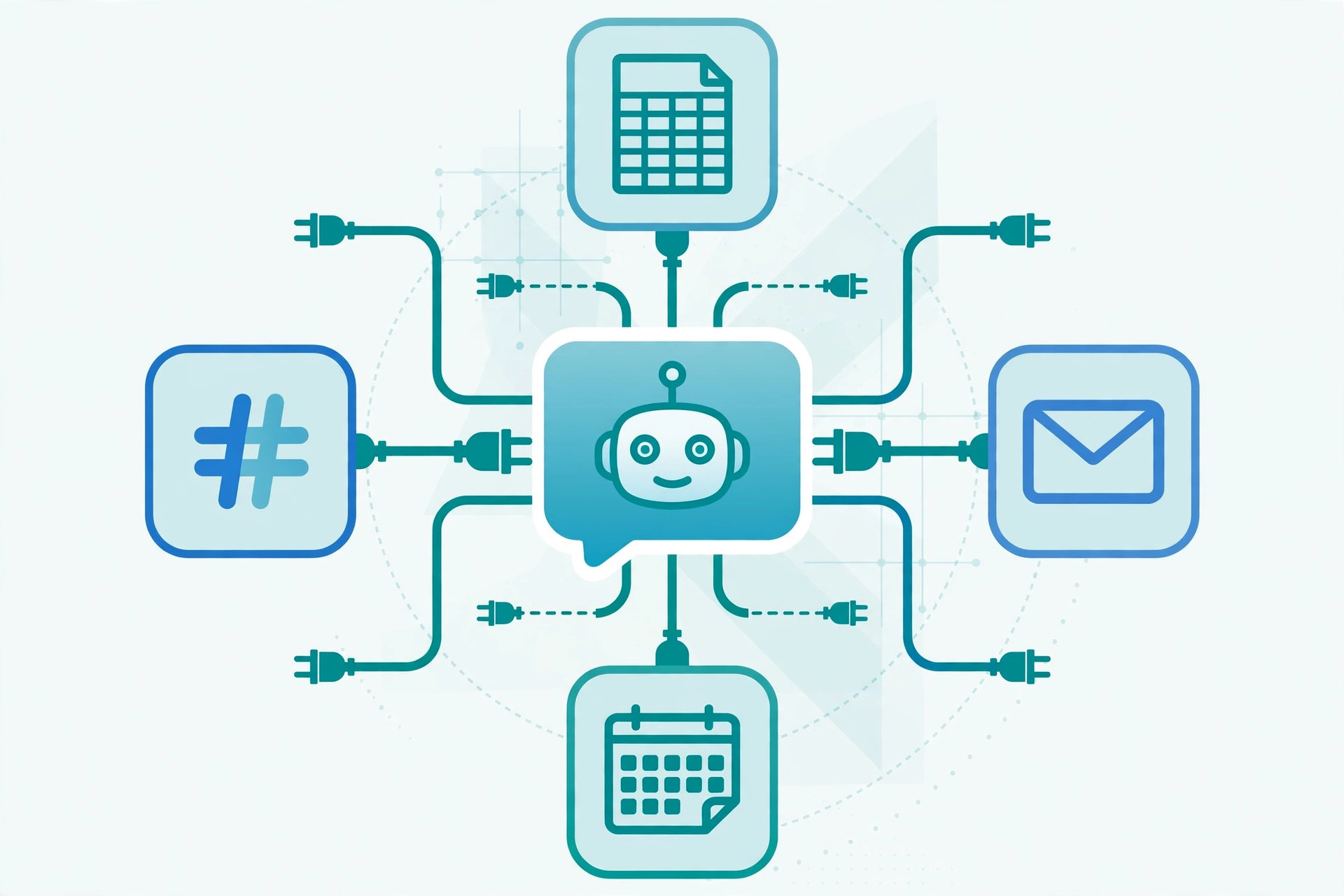
The real problem MCP solves for me is not "AI can search the web." It is that an assistant with read and write access to my actual tools can do work that used to die in my task list. Not chatbot work. Fetch-the-data, update-the-record, draft-the-thing work. Here is the exact setup and the five workflows that survived contact with my calendar.
The Stack I Run Every Week
| Role | Tool | Why it earned its spot |
|---|---|---|
| Assistant | Claude (desktop app + CLI) | Handles tool calls natively, remembers project context |
| Inbox + calendar | MCP servers for Gmail and Google Calendar | Read, label, draft, schedule without tab switching |
| Docs + files | MCP servers for Google Docs, Drive, and local filesystem | The assistant edits the same files I do |
| Research | Fetch and web search MCP | Pulls page content I can actually cite |
| CRM | CRM MCP on my pipeline | Enriches and flags records in place |
Rule one of my setup: every workflow starts as me doing the thing with the assistant watching, then becomes a prompt I reuse, then becomes a scheduled run. Nothing goes straight to automated. Trust is earned per workflow.
The 5 Workflows, Ranked by How Much Week They Give Back
1. Monday morning inbox triage (agency)
Trigger: Every Monday at 8 a.m., before I open email myself.
What MCP does: The assistant scans the weekend's inbox through the Gmail MCP, sorts messages into three buckets (needs me, needs a draft, can archive), and drafts replies for the middle bucket using context from past threads.
- Labels everything before I see it, so the inbox is pre-sorted
- Drafts stay in drafts, never sent; I review and hit send on the real ones
- Threads with clients get a one-line summary at the top of the draft so I can judge tone in seconds
Where it breaks: Anything emotionally loaded, like a client threatening to pause spend, gets flagged "needs you" with no draft. I wrote that rule in after one draft sounded slightly too cheerful about a budget cut.
2. Pre-meeting briefs (every call, every day)
Trigger: Fifteen minutes before every calendar event with an external guest.
What MCP does: Pulls the event from the calendar, searches my CRM and past email threads for the person and company, and drops a brief into a note: who they are, last contact, open items, and one suggested opener.
- I walk into calls knowing the last thing we discussed, even if it was four months ago
- Open items come from the CRM, not my memory, which is the whole point
- The brief is a paragraph, not a dossier; I read it in the two minutes before the call starts
3. Blog publishing pipeline (this site)
Trigger: Every day at publishing time, and this one is personal: this blog runs on it.
What MCP does: Through the filesystem and git MCP servers, the assistant reads the draft, adds the entry to the posts index, builds the site to catch errors, commits, and pushes. The push triggers the deploy. I verify the live URL, but I no longer run the mechanical steps.
- The build step is the quiet hero: it catches broken links and bad markdown before readers do
- Drafts live in a calendar file, so the assistant knows which post is next without being told
- Image filenames are checked against the post, so no post goes live with a missing hero
This is also the workflow that taught me the biggest lesson of the year: automating content taught me what happens when the tool dies, which is why every one of these workflows has a manual fallback written down.
4. Friday CRM hygiene (agency pipeline)
Trigger: Friday afternoon, the least glamorous slot of the week.
What MCP does: Reviews every open deal through the CRM MCP, flags anything untouched for 7+ days, enriches new leads with firmographic data, and produces a short list: deals to push, deals to park, deals that are actually dead.
- Stale deals are the tax nobody pays voluntarily; this pays it automatically
- Enrichment runs on new leads only, which keeps costs predictable
- The "actually dead" list is the most valuable output; killing deals early protects the forecast
5. Weekly content research (content + agency)
Trigger: Sunday evening, ahead of the week's content planning.
What MCP does: Pulls trending topics in my niches through search MCP, checks what I have already published so I do not repeat myself, and drops five candidate topics with a one-line angle for each into a planning doc.
- The "already published" check queries the blog index directly, so no near-duplicate topics slip through
- Each candidate comes with two or three source links, so writing starts from research, not a blank page
- I pick two and kill three; the assistant does not get a vote
What I Learned Running These for Six Months
- Start with read-only access. Every one of these began as the assistant reading and reporting. Write access came later, one tool at a time. The inbox workflow ran read-only for a month before I let it touch drafts.
- Write the kill rules into the prompt. "Never send email" and "flag anything emotional" are not guidelines, they are lines in the instructions. The failure modes you name are the ones that stay contained.
- Scheduled beats triggered. All five run on a schedule, not on events. Schedules are predictable, cheap to reason about, and easy to pause when life gets loud.
- Keep the manual fallback. Each workflow has a three-line "if this is broken, do it by hand" note. I needed the fallback twice this year, and both times I was glad it existed.
- The assistant is not the system. The prompt, the schedule, and the fallback document are the system. The assistant is the engine you could swap. Design for the swap and you survive the next OpenClaw-style disappearance.
If you are starting from zero, read the MCP explainer first, then pick ONE workflow, the inbox triage or the meeting briefs, and run it read-only for two weeks. That is the whole on-ramp. The other four can wait until the first one bores you, which is the sign it works.